How an HRMS helps an Indian startup
In the first year, HR at a startup is usually one person's side job: a spreadsheet of salaries, leave tracked over chat, and payroll calculated by hand each month. That works until the first statutory registration, the first mistake in a PF or TDS deduction, or the first investor asking for clean employee records. An HRMS replaces those spreadsheets with one system: employee records, attendance and leave feed payroll, statutory deductions are calculated by rule, and every change is logged. Employees get payslips and leave balances through self-service, so founders stop answering the same questions.
When a startup actually needs an HRMS
The trigger is rarely a headcount number on its own. The usual signs are: you are close to 10 employees and ESI is about to apply; you are approaching 20 and EPF will follow; you have staff in more than one state, each with its own Professional Tax and leave rules; payroll errors have started reaching employees; or due diligence for a funding round needs clean records. If two of these are true, moving off spreadsheets will save more time than it costs.
Statutory checklist by stage
From the start: register the business under your state's Shops and Establishments law, deduct Professional Tax where your state levies it, deduct TDS on salaries above the tax threshold, and issue a written appointment letter, which the new labour codes now require for every employee. At 10 employees: ESI applies to employees earning up to ₹21,000 a month, with contributions of 3.25% from the employer and 0.75% from the employee. At 20 employees: EPF applies to the establishment; smaller teams can join voluntarily. Throughout: gratuity becomes payable after five years of continuous service, or after one year for fixed-term employees under the Code on Social Security. In some states ESI applies from 20 employees rather than 10, so check your state.
What the new labour codes change in your salary structure
The four labour codes in force since 21 November 2025 use a single definition of wages: basic pay, dearness allowance and retaining allowance. If allowances and other exclusions exceed 50% of total pay, the excess is added back to wages for statutory calculations. Example: a monthly package of ₹60,000 split into ₹20,000 basic and ₹40,000 allowances has ₹10,000 of allowances above the 50% limit, so wages for gratuity and other statutory purposes become ₹30,000. How much this changes PF depends on whether you contribute on the ₹15,000 wage ceiling or on actual wages. Review salary templates before the next increment cycle, and make sure your payroll system applies the rule automatically.
Cloud HRMS versus spreadsheets
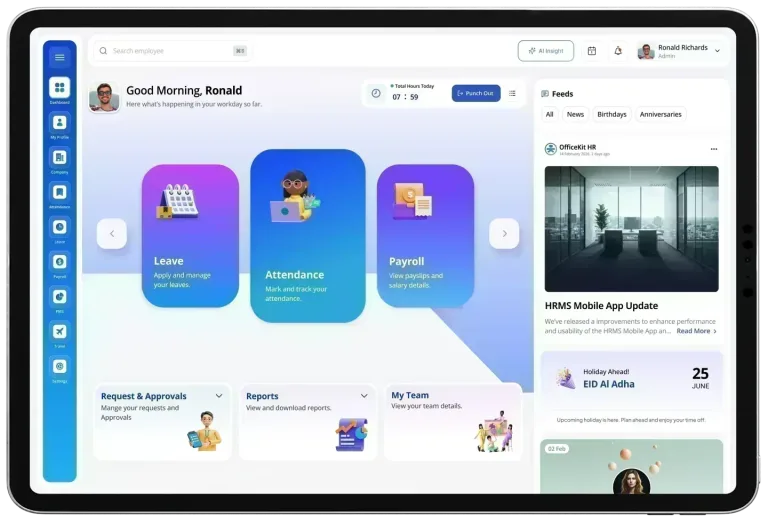
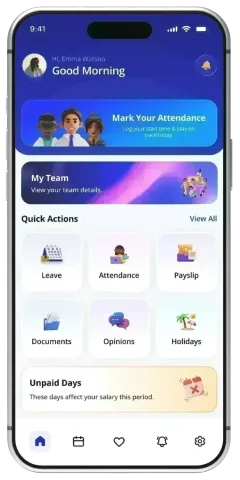
Spreadsheets have no audit trail, break when someone sorts a column, and leave payroll knowledge in one person's head. A cloud HRMS keeps one employee record that payroll, attendance and leave all read from, applies statutory rules the same way every month, and records who changed what. For a startup with people in several cities or working remotely, cloud access and mobile self-service mean attendance, leave requests and approvals happen in the same system rather than over chat.
What to buy first, and what to add later
Start with the modules that touch every employee every month: core HR records, payroll with PF, ESI, PT and TDS, and leave and attendance. Add employee self-service and the mobile app early, because they remove most routine questions. Add recruitment when you hire several people a month, and performance reviews when you have managers running teams. OfficeKit HR prices per user, with Silver, Gold and Platinum plans, so a startup can begin with the core and enable more modules later without changing systems.
Evaluating an HRMS at 10, 50 and 200 employees
At about 10 employees, the priority is correct payroll and statutory deductions with minimal setup. At about 50, look for leave and attendance rules by location, manager approvals and self-service, because HR can no longer handle every request personally. At about 200, you need role-based access, audit trails, reports for finance and investors, and recruitment and performance modules that share the same employee record. Whichever stage you are at, ask for a demo using one month of your own payroll data and compare the results line by line with your current numbers.